BAYC - Tech News, Tutorials

Results for items labelled ' Windows 10 ' Click here to go back to recent items
Windows 10 - Running Malwarebytes to check for Viruses Windows 10 - Running Malwarebytes to check for Viruses Reviewed by baybookings on 21:53:00 Rating: 5
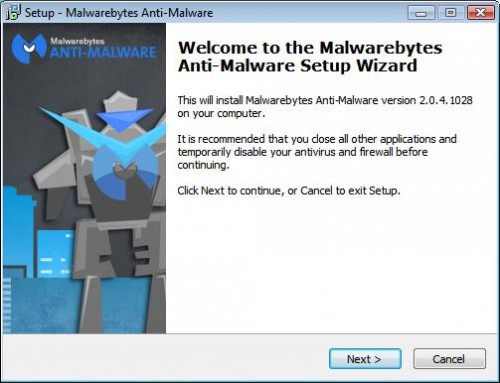
Windows 10 - Download & Install Malwarebytes virus checker


This is another one for Ken. He wants to download and install Malwarebytes virus checker on his desktop PC.

'Downloading' is the name given to the process of copying a file from a large computer on the internet onto your home computer.

'Installing' is the name given to the process where a software program makes itself ready to be used on your home computer.

'Malwarebytes Anti-Malware' is a program that scans your computer and finds viruses that the normal virus checkers don't even look for. We will be downloading and installing the free version.

Read More
20:01:00 ,
Windows 10 - Download & Install Malwarebytes virus checker Windows 10 - Download & Install Malwarebytes virus checker Reviewed by baybookings on 20:01:00 Rating: 5

Windows 10 - Connect to WIFI with a Password


This one is for Ken so that he can connect to Wifi down at the club.

Your computer won't automatically connect to the internet when you take it to a new place. A laptop or tablet or phone connects to the Internet through Wifi (short-range wireless signal).

A Wifi connection is usually protected by a Wifi password which needs to be entered into the laptop. You only have to enter the password once, the laptop will remember it after that and automatically connect to that Wifi whenever it is near to it.

Read More
15:18:00 ,
Windows 10 - Connect to WIFI with a Password Windows 10 - Connect to WIFI with a Password Reviewed by baybookings on 15:18:00 Rating: 5

Windows 10 - How To Copy, Move & Delete files

Windows 10 - How To Copy, Move & Delete files Windows 10 - How To Copy, Move & Delete files Reviewed by baybookings on 17:04:00 Rating: 5
Windows 10 - How To Select Files Windows 10 - How To Select Files Reviewed by baybookings on 19:31:00 Rating: 5

Windows 10 - Anniversary Upgrade Stuck at 99%


Some users are reporting that their Windows 10 Anniversary upgrades are getting stuck at 99%.
Microsoft's advice is to wait until the upgrade finishes which they say could take all day and there's no guarantee that it will work.

An alternative method that seems to be working OK is to manually install it using a Microsoft Program called the 'Media Creation Tool'.

1)  Click here to download the Media Creation Tool. The program will be downloaded to the 'Downloads' folder.

Read More
16:59:00
Windows 10 - Anniversary Upgrade Stuck at 99% Windows 10 - Anniversary Upgrade Stuck at 99% Reviewed by baybookings on 16:59:00 Rating: 5

Windows 10 - How to find and start a program


There are at least 5 ways to find & start a program on Windows 10.
As an example, I will show the various methods to find and start the 'Windows Media Player' program.  (Click on an image to see the full size.)

Note: I'm using the Windows 10 Anniversary edition which is slightly different than the first Windows 10 as it shows the list of programs by default instead of having click on the 'all apps' icon to show the program list.

The 5 methods are -

1) A Taskbar Shortcut icon    (only if you have one. 
2) A Desktop Shortcut icon   (only if you have one. 
3) From a Start screen icon    (only if you have one. 
4) From the Program List.
5) From a Search.

Read More
12:24:00
Windows 10 - How to find and start a program Windows 10 - How to find and start a program Reviewed by baybookings on 12:24:00 Rating: 5
Powered by Blogger.